
CAREER ANSWERS
How to Use Job Market Data for Career Planning

THE SHORT ANSWER
Define the role, level, location, employment type, and date range before you collect data. Use several current sources and count patterns across comparable openings. Record salary figures as ranges with a source date. Then compare the market evidence with your experience and constraints. The result should change a question or a next step, not hand the decision to a chart.
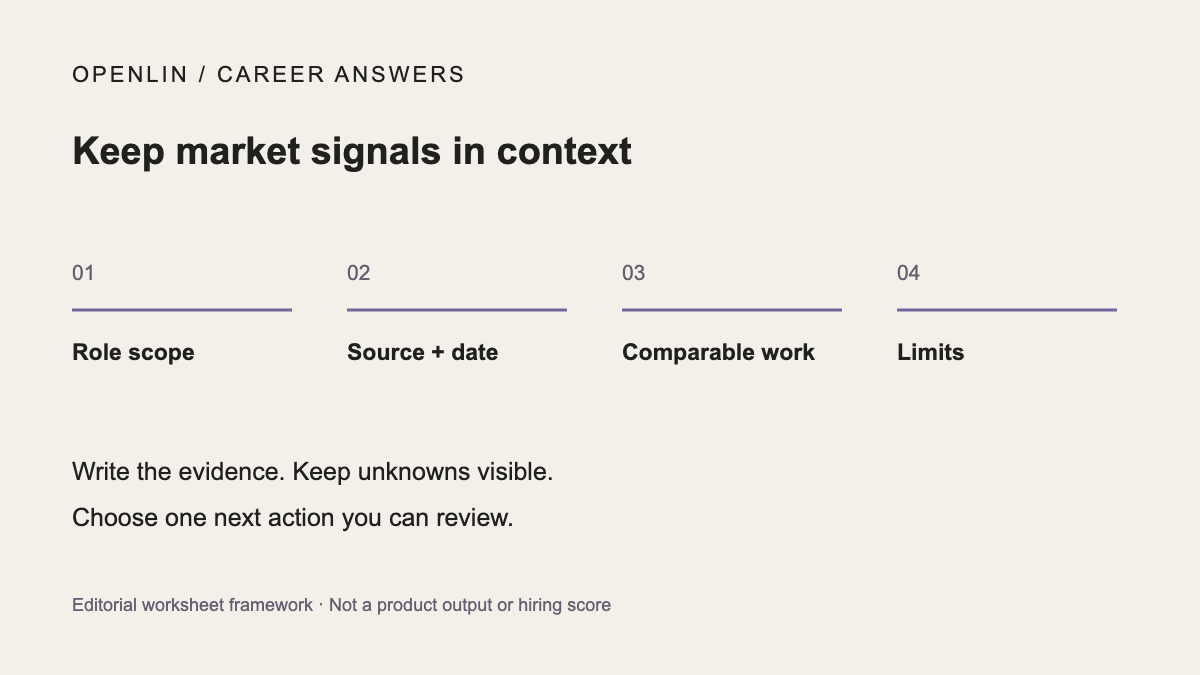
Questions to settle before you act
Which market am I comparing?
Write the scope at the top of your notes: role family, seniority, location, employment type, and posting dates. “Project coordinator in Chicago” and “senior program manager in remote U.S. roles” belong in different samples.
Which signals are strong enough to influence my plan?
Count a signal after it appears across several comparable openings or sources. Save the source and collection date. A repeated responsibility can change your skill plan; one recruiter post belongs in the notes until other evidence supports it.
What can market data not predict for me?
A demand estimate cannot promise an opening when you apply, your salary, or an employer's decision. Use the range to choose which questions to investigate and which evidence to build. Keep personal fit and constraints in the decision.
Define the market you are reading
- You want to know whether a possible direction has visible demand.
- You need to prioritize skills that appear across current roles.
- Conflicting salary or hiring claims are making planning difficult.
Look for patterns across sources
- Define the role, level, location, employment type, and date range.
- Start with current employer postings that match your target scope. Add another permitted source when it helps check a pattern or resolve conflicting information.
- Count repeated responsibilities and skills, then keep isolated terms in a separate column.
- Record salary and demand figures as dated ranges with source notes.
- Set a review date around your next decision. Recheck sooner if a posting closes, requirements change, or your target changes.
EXAMPLE
Keep the data limits visible
Fictional example: In this invented sample, Nina reviews 20 product-operations openings posted in her city during the past month. Fifteen mention stakeholder communication, twelve mention process design, and one names a niche workflow tool. She documents a cross-team process project before spending money on the tool. The counts point to evidence she can use across more openings.
Keep a source ledger you can check later
Copy the scope record and posting record into your own notes. Use one posting record for each requirement you inspect; keep the posting URL with every entry. Record missing information as unknown rather than filling it from another job or an occupation average.
Swipe or scroll horizontally to see every column. Keyboard: focus the table and use the arrow keys.
| Field | Your record |
|---|---|
| Target role and role family | [Role or family] |
| Target level | [Level; keep titles and actual scope separate] |
| Location and work arrangement | [City/state; remote eligibility and attendance requirements] |
| Employment type | [Full-time, part-time, contract or other stated type] |
| Collection date and posting window | [Collection date; dates included in your sample] |
Swipe or scroll horizontally to see every column. Keyboard: focus the table and use the arrow keys.
| Field | Your record |
|---|---|
| Posting URL and employer | [Original URL; employer] |
| Posting date / date checked | [Stated posting date or unknown; date you checked it] |
| Responsibility or skill | [Exact wording or a clearly labeled summary] |
| Required / preferred / unclear | [How the posting labels it; unknown if ambiguous] |
| Pay range and pay period | [Stated range; hourly/annual/other; currency; base or other pay if stated; otherwise unknown] |
| Duplicate flag | [Unique / duplicate of URL / uncertain; retain one record per distinct opening for pattern counts] |
| Pattern count | [Count / comparable distinct openings reviewed; link to your summary and counting rule] |
| Uncertainty | [Missing scope, dates, salary basis, source changes or duplicate uncertainty] |
| Next action | [Clarify a condition, inspect evidence, compare another source or change your plan] |
Nina’s fictional sample: a pattern summary, not a US demand estimate
This filled example carries forward the page’s invented sample of 20 product-operations openings. The city, seniority, collection date, real posting URLs, pay ranges and duplicate checks are not provided. No real source records can be reconstructed from this example. The denominator is part of the fictional scenario, not an audited job-market sample.
Swipe or scroll horizontally to see every column. Keyboard: focus the table and use the arrow keys.
| Responsibility or skill | Invented count | Unknowns | Next action in this example |
|---|---|---|---|
| Stakeholder communication | 15 of 20 fictional openings | Required/preferred status, original URLs and duplicate checks not supplied | Document a relevant cross-team example; check actual target requirements |
| Process design | 12 of 20 fictional openings | Level, scope and pay information not supplied | Show the decisions and evidence in the process project |
| Niche workflow tool | 1 of 20 fictional openings | Whether it is essential for a particular target posting is unknown | Check the target posting before paying for training |
A repeated term in your own sample may help you prioritize a question; it does not establish nationwide demand or override an essential qualification in a specific posting. Use BLS occupational information and O*NET occupation descriptions as occupation-level context. Keep their dates and classification limits separate from your posting counts.
If the ledger points to a requirement you cannot yet support, separate a skill gap from a proof gap. Then choose a next action with a finish line.
Sources to check
What the Openlin preview shows
The public Openlin site offers an illustrative product preview and a waitlist for early access updates. Use the guidance on this page in your own notes; the preview does not perform this task for you.
The preview shows an illustrative way to present role requirements and pay information. Use your own ledger to record the posting URLs, dates, scope and uncertainties; the preview does not collect or validate it.
Limits to keep in view
Openlin cannot guarantee that market data is complete, that demand will continue, or that a visible salary range applies to you.